In this guide
Is Hood Warfare 2 on PS5, Xbox, Mac or PC?
Hood Warfare 2 is available on Windows through Steam. As of October 21, 2026, the official listing does not confirm PS5 or Xbox versions or a console release date. Native macOS and Linux versions are not listed either.
The PC edition supports controllers, according to Steam. That does not mean a console edition is available. Steam Deck performance and Linux compatibility through Proton have not been tested for this guide.
| Platform | Status |
|---|---|
| Windows PC | Available on Steam |
| PS5 / Xbox | No release confirmed in the official listing |
| macOS / Linux | No native version listed |
| Steam Deck | Not tested by GameCurio |
Price and where to buy
Hood Warfare 2 launched on October 8, 2026. The US Steam store lists it at $5.99 with no discount applied as of October 21. Prices vary by region and can change during sales.
Look for Hood Warfare 2 by Trapstar Games, Steam app 5155360, rather than the original Hood Warfare. It is a paid PC download, not a browser game. No separate demo appears in the current Steam product data.
How to unlock weapons, attachments and skins
Weapons and equipment unlock as you play matches and level up your reputation. Attachments follow a different route: complete weapon challenges to earn them. Skins are tied to kills with each gun.
Check which kind of reward you are working toward before grinding levels. Reputation progression is not a substitute for an attachment's weapon challenge. Trapstar Games has not published a complete list of unlock levels, challenge requirements or skin kill counts in its store description.
| Reward | How it unlocks |
|---|---|
| Weapons and equipment | Play matches and level up reputation |
| Attachments | Complete weapon challenges |
| Weapon skins | Get kills with each gun |
Game modes and bot matches
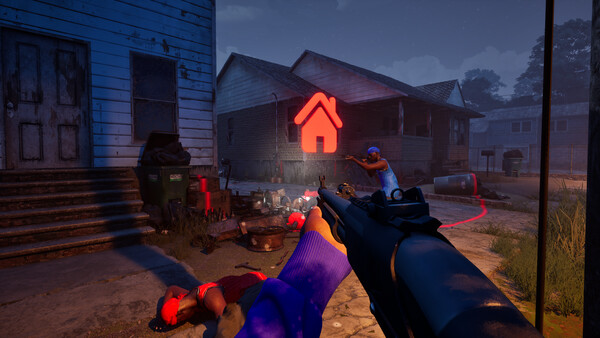
The six modes range from team deathmatch to territory control and bomb planting. In Turf War, holding ground earns points; in Chain Snatch, you need to collect dropped chains rather than simply get kills. The objectives below come from the developer's mode descriptions.
You can also set up a match against bots, choosing the map, mode and match settings before filling the teams. The store lists single-player and online PvP, but does not explain whether bot matches work offline or confirm split-screen or cross-platform play.
| Mode | Objective |
|---|---|
| Turf War | Hold territory to earn points |
| GangBang | Get the most kills as a team |
| Chaos | Get the most kills in a free-for-all |
| Hit A Lick | Bring the enemy's bag back to your hood while protecting your own |
| Destroy The Block | Plant or defuse the bomb, with one life per round |
| Chain Snatch | Collect enemy chains for points and recover teammates' chains |
PC system requirements
Allow 25 GB of storage for the minimum specification or 30 GB for the recommended tier. Both require DirectX 12, a 64-bit version of Windows and broadband internet. Available storage is not the same as download size.
These are the developer's published requirements. No resolution, graphics preset or frame-rate target accompanies them, so they should not be read as a guarantee of 60 FPS.
| Component | Minimum | Recommended |
|---|---|---|
| OS | Windows 10 64-bit, version 1909 or newer | Windows 11 64-bit |
| Processor | Intel Core i5-9600K / AMD Ryzen 5 3600 | Intel Core i5-12600K / AMD Ryzen 5 7600 |
| Memory | 8 GB RAM | 16 GB RAM |
| Graphics | NVIDIA GTX 1660 / AMD RX 5600 XT 6 GB | NVIDIA RTX 3060 Ti / RTX 4060 8 GB |
| DirectX / network | DirectX 12 / broadband internet | DirectX 12 / broadband internet |
| Storage | 25 GB available space | 30 GB available space |